Old accounts from websites and apps that have not been used for a long period of time are more likely to be compromised due to a reliance on old passwords, absence of two-factor authentication, and fewer security updates. (source) If you're like me, you have amassed a hefty digital footprint over the years through account sign-ups. Think Google, shopping, old Reddit accounts, and niche websites that you have probably forgotten about. In the moment, providing an email and password is no problem — just enter your credentials, move on, and forget about it. However, if you factor in years' worth of account sign-ups, they add up. It's time to purge these before it's too late.
The Solution
Time: 60 minutes to a few hours | Difficulty: Easy
-
Gather all the email accounts you have ever created or can
remember using, and make sure you can sign into them. Without
this, you cannot delete your old accounts. Check password
managers (e.g. a tool like LastPass, iCloud Keychain, or your
browser's built-in manager) and your Google account for stored
passwords of old accounts — this makes it easier to find
accounts you may have forgotten about.
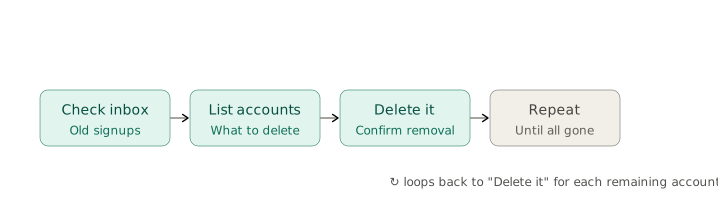
- Go through your email inbox and look for old emails from sites you don't use anymore. This helps you find old sites you signed up for that you may have forgotten.
-
Create a checklist spreadsheet or document for the accounts you
want to get rid of. For accounts that haven't been used in over
1-2 years, or that you have a gut feeling you don't use, I
advise deleting them. Write down each one with its linked email
address, the website, and the password if you know it.
- For accounts where you can't remember the password, request a password reset link to your email.
- Sign into the old account, delete it, and cross it off your checklist.
- Repeat step 3 for every account until they're all gone.
Final Thoughts
You may find you have an overwhelming number of accounts to delete, and that's totally normal. If that's the case, just pick and choose the accounts you want to delete as you go — otherwise, this project can take longer than anticipated. While this seems like a small victory, the peace of mind is the beauty of doing this tedious task. Knowing you're in control of your digital identity and who has access to your information is the attitude we should all strive for in digital life. We have to take the necessary offense.